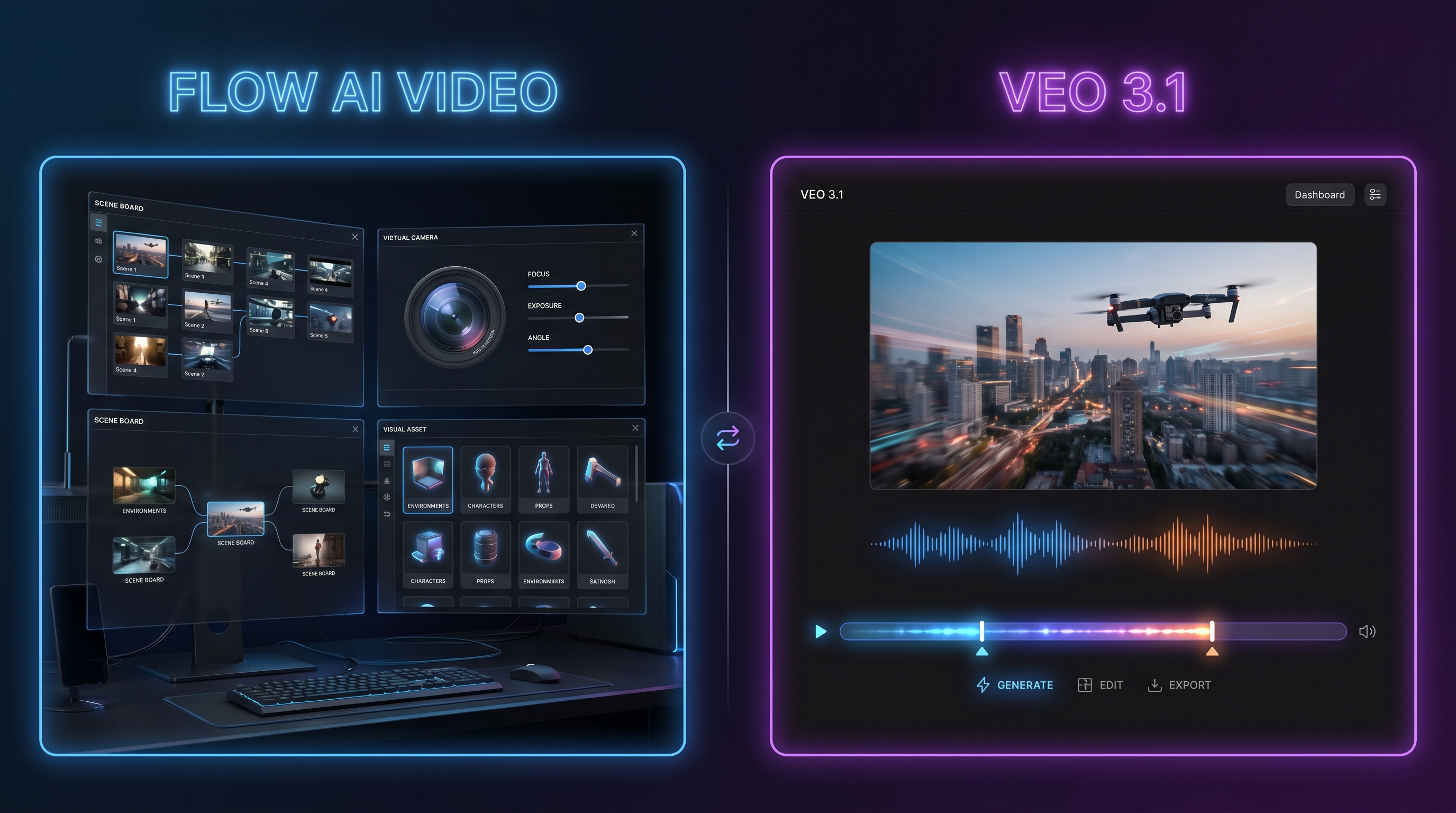
AI video tools are moving fast, but not all of them are built for the same kind of creator. Some tools are made for quick clips. Some are made for cinematic experiments. Some are made for social media production. And then there is Flow Google AI, Google’s AI creative studio for building videos, images, scenes, and stories in a more organized way.
At first glance, Flow sounds like the obvious winner. It comes from Google, it is connected to powerful generative models, and it gives creators a more complete workspace than a basic prompt box. But when people compare it with VEO 3.1, the conversation becomes more interesting. Flow is strong as a studio. VEO 3.1 is strong as a direct video generation model. For many creators, especially marketers, short-form video makers, and social media editors, the second option can feel more practical.
This article introduces Flow, compares it with Gemini VEO 3.1, and explains why many users may prefer VEO 3.1 when the goal is polished, realistic, and easier-to-use AI video output.
1. What Is Flow AI Video?
Flow AI video is not just a simple text-to-video generator. It is Google’s AI filmmaking workspace, built to help creators generate, refine, compose, and organize visual ideas. Instead of treating every prompt as a one-off result, Flow encourages users to think in scenes, shots, ingredients, references, and visual continuity.
That makes it useful for people who want to build a short film, a branded story, a concept trailer, or a multi-scene creative project. You can create visual assets, adjust them, reuse them, and experiment with scene composition. For creators who care about pre-production, mood boards, and cinematic direction, Flow offers a more structured environment.
The appeal is clear: you are not only asking AI to “make a video.” You are shaping a creative space where images, scenes, camera movement, and story fragments can work together. That is why Flow is better understood as an AI creative studio than as a single-purpose generator.
2. How Flow Works for AI Filmmaking
Flow is designed around a more controlled creative process. A user can begin with a prompt, an image, or a visual idea, then refine the result step by step. It supports workflows such as creating ingredients, animating images, inserting or removing objects, extending a video, and controlling camera direction.
For example, instead of writing “a woman walks through a futuristic city” and accepting the first result, a creator can think more like a director:
- What does the character look like?
- What kind of city is this?
- Is the camera handheld, slow, aerial, or close-up?
- Should the scene feel like a luxury commercial, a cyberpunk drama, or a documentary shot?
- Do the same visual ingredients need to appear again in another clip?
This is where Flow becomes valuable. It gives creators room to iterate and organize. The downside is that this studio-like structure may feel heavier if the user simply wants a fast, polished video clip for TikTok, YouTube Shorts, ads, or product previews.
That is where a more direct AI video generator can become more attractive. Instead of building a whole creative workspace, users can choose a model, input a prompt or image, adjust the settings, and generate a clip faster.
3. Where GeminiGen AI Fits Into the Search
Many users also search for GeminiGen AI when looking for VEO-style video generation. The name can be confusing because it sounds close to Google Gemini, but it should be treated as a separate third-party access point rather than Google’s official Gemini product.
This matters because users often do not search in a perfectly technical way. They may search for Gemini video tools, VEO access, Google AI video generation, or GeminiGen AI because they want the same thing: an easier path to advanced AI video models.
For SEO and reader clarity, the article should explain that GeminiGen AI is part of the wider conversation around video model access, but creators should always check platform details, pricing, limits, and output rights before starting a production workflow.
In practical terms, the real comparison is not only “Flow vs GeminiGen.” It is Flow’s studio workflow versus a VEO 3.1-centered generation experience.
4. Flow vs VEO 3.1: Studio Workflow vs Model-First Output
The biggest difference between Flow and VEO 3.1 is the user experience.
Flow is about building a creative environment. It helps you manage visual ingredients, refine scenes, and think like a filmmaker. VEO 3.1 is easier to understand as the engine that produces highly realistic short videos with strong motion, audio, and cinematic texture.
Here is the simple version:
| Feature | Flow | VEO 3.1 |
|---|---|---|
| Best For | Creative planning, scene building, story experiments | Polished short videos, ads, social clips |
| Workflow | Studio-like and organized | Model-first and direct |
| Main Strength | Creative control and asset composition | Realistic motion, sound, and cinematic output |
| Learning Curve | Higher for casual users | Easier for fast generation |
| Ideal User | Filmmakers, concept artists, narrative creators | Marketers, creators, advertisers, video editors |
This is why some people may prefer VEO 3.1. They are not trying to manage a whole production board. They just want the clip to look good. They want the motion to feel natural, the audio to match, the camera to move smoothly, and the result to be usable without too much extra setup.
For a creator making a short product ad, a visual hook, a fantasy scene, a UGC-style concept, or a cinematic social post, VEO 3.1 can feel more direct. The user writes the scene, adds an image if needed, defines the movement, and generates the result.
5. Why People May Prefer VEO 3.1 Over Flow
Flow has a stronger workspace concept, but VEO 3.1 often wins in the areas everyday creators care about most: realism, motion, audio, and speed of testing.
First, VEO 3.1 is easy to pitch. It creates short, high-quality AI videos with sound. That promise is simple. A creator does not need to understand the whole Google creative ecosystem to know why that is useful.
Second, VEO 3.1 is attractive for commercial and social content. Most creators are not making a full AI short film every day. They are making clips for landing pages, TikTok, reels, product demos, music visuals, character tests, and ad concepts. For those tasks, a direct model interface can be more efficient than a full studio.
Third, VEO 3.1 is stronger as a comparison keyword. People searching for “VEO 3.1” usually care about the model’s capability. They want to know how realistic it is, whether it supports audio, whether it can handle image-to-video, and whether it can create smooth camera movement.
Fourth, VEO 3.1 works well in a multi-model environment. On Fylia AI, users can try VEO 3.1 while also exploring other video and image tools. That makes it easier to compare results instead of staying inside one official platform.
6. VEO 3 Google and the Bigger Google Video Ecosystem
The phrase VEO 3 Google usually points to Google’s video model family rather than a single editing interface. This distinction is important.
Flow is a place to create with Google’s AI models. VEO is the model family behind high-end video generation. Gemini is one of the main consumer-facing ways people encounter Google’s AI tools. Fylia AI, meanwhile, can serve as an alternative access and testing space for users who want to try model-based video generation in a simpler creative environment.
So when users compare VEO 3 Google with Flow, they may actually be asking: “Do I want Google’s full creative studio, or do I want a faster way to create VEO-style clips?”
For many users, the answer depends on the project.
Choose Flow if you want to build a story world, manage visual ingredients, and refine a larger creative direction. Choose VEO 3.1 if you want a more direct way to create cinematic short clips with strong realism and audio. Choose Fylia’s AI video generator if you want one practical hub to test image-to-video and text-to-video workflows across different models.
7. Prompt Tips for Better Flow and VEO 3.1 Results
Whether you use Flow or VEO 3.1, your prompt still matters. A weak prompt usually creates a generic result. A strong prompt gives the model a clear scene, mood, motion, and camera direction.
A useful structure is:
Subject + Setting + Action + Camera + Mood + Style + Audio
For example:
“A young fashion model walks through a rain-lit Tokyo street at night, neon signs reflecting on wet pavement. The camera follows from a low-angle tracking shot. The mood is elegant, cinematic, and slightly mysterious. Natural footsteps, soft rain, and distant city ambience.”
For product videos, try:
“A luxury skincare bottle rotates slowly on a marble counter as morning sunlight passes through soft curtains. The camera pushes in gently, highlighting the glass texture, label detail, and water droplets. Clean commercial lighting, calm music, premium beauty ad style.”
For character clips, try:
“A tired space explorer removes her helmet inside a damaged spacecraft, breathing heavily as warning lights flash behind her. Close-up shot, subtle facial emotion, realistic skin texture, dramatic sci-fi lighting, low mechanical hum, distant alarm sound.”
These prompt details help VEO-style models understand not only what should appear, but how the scene should move and feel.
8. Final Verdict: Flow Is the Studio, VEO 3.1 Is the Faster Creative Engine
Flow and VEO 3.1 are not enemies. They serve different creative needs.
Flow is better when you want a structured AI filmmaking workspace. It is useful for building scenes, collecting assets, refining a visual direction, and thinking through a larger story. It feels closer to a creative studio for AI-assisted filmmaking.
VEO 3.1 is better when you want direct, high-quality video generation. It is easier to recommend for creators who care about realistic motion, synchronized audio, emotional expression, and fast clip production. That is why many users may prefer VEO 3.1 for everyday content creation, especially when they are making social clips, ad tests, product videos, and cinematic short scenes.
For creators who want a more flexible place to experiment, Fylia AI’s AI video generator is a practical alternative. It gives users a simpler path to try advanced video workflows without committing to one official studio-style environment.
Recommended Fylia AI Tools and Models
If you like the cinematic potential of VEO-style generation but want more flexible access, Fylia AI offers several useful tools and models to explore.
- VEO 3.1 AI — Best for cinematic short clips, realistic motion, expressive characters, and synchronized audio.
- AI Video Generator — Best for creators who want a flexible hub for image-to-video and text-to-video workflows.
- Google VEO 3 AI — A useful option for users comparing VEO-style video generation.
- Kling 3.0 — Good for dynamic motion, stylized camera movement, and energetic video ideas.
- Hailuo 2.0 — Useful for motion-heavy short videos and expressive animation.
- Vidu Q3 — A practical model for quick image-to-video and creative short-form experiments.
Related Article
- Wan 2.7 vs Wan 2.6: How Big Is the Upgrade?
- Better Videos With Kling 3.0 Shot Control
- How to Use Hailuo 02 for Video Generation with Prompts
- One Hub for Flux, Wan, VEO, Sora, Kling, and More
People Also Read
- Veo 3.1 Video Generation Guide: How to Create Cinematic Clips
- Seedance 2.0 Prompt Tips for More Human, Realistic AI Video
- Wan 2.7 Is Here: What Changed from Wan 2.6 and Wan 2.5
- PixVerse V6 AI Video Generation: A Creator-Friendly Guide
- How to Create Better TikTok Videos with Google VEO 3.1
- Veo 3.1 vs Sora 2: Which AI Video Model Performs Better?
- Text-to-Video Guide: How to Choose Models and Create Better Clips
- The 2026 Image-to-Video Guide for Better AI Clips
- Veo 3.1 vs Wan 2.6: Best Pick for AI Video Creation?
- Image-to-Video Generator 2026: One Hub for the Best Models


