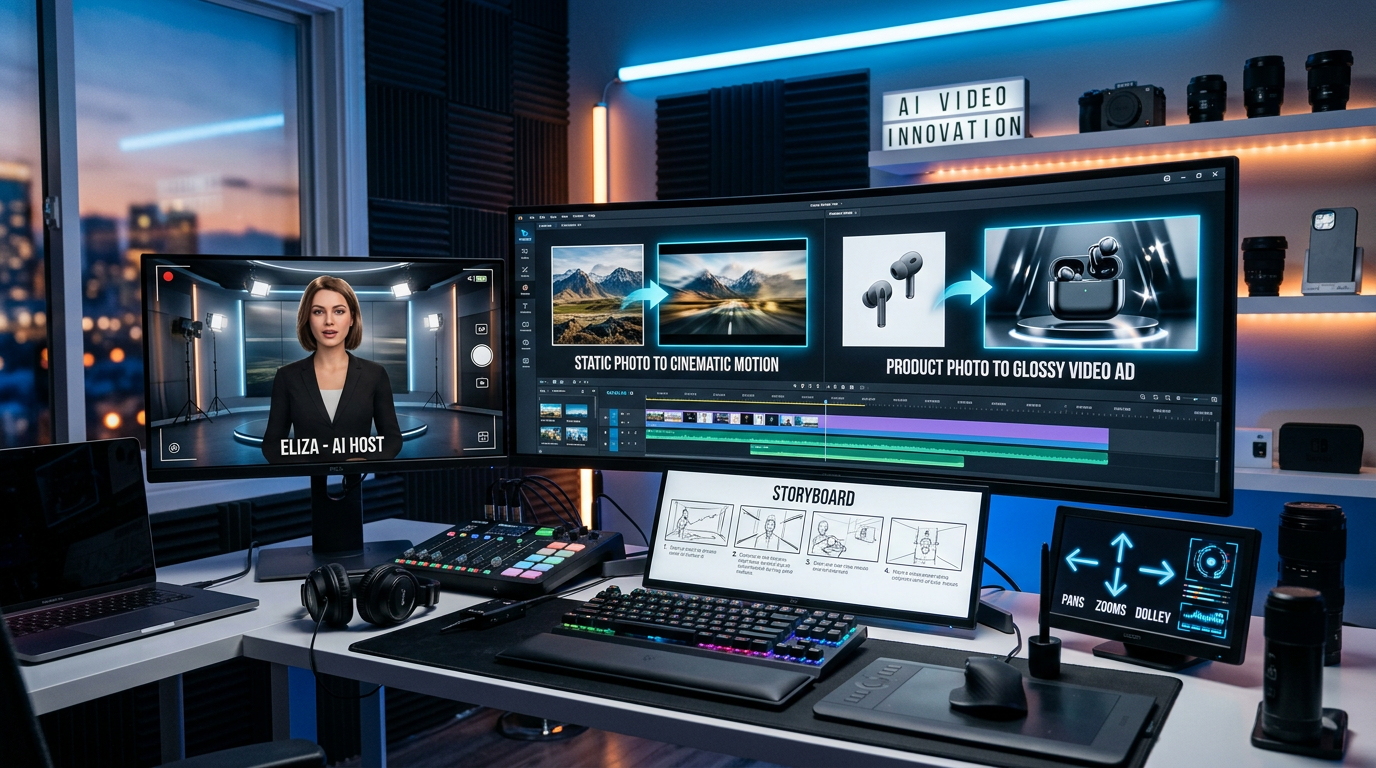
Image-to-video generation has become one of the most practical ways to create AI video content because it does not ask creators to start from a blank page. Instead of describing everything from scratch, users can begin with an existing portrait, product image, poster, character design, or storyboard frame, then ask the model to add motion, camera movement, atmosphere, and visual continuity. This is why image-to-video AI is especially useful for creators who already have strong visual assets but need them to move.
For marketers, this means a still product photo can become a short commercial. For social media creators, a profile image or concept image can become a dynamic clip. For storytellers, a character reference can turn into a scene with emotion and action. For e-commerce teams, a flat catalog image can be repurposed into ecommerce video ads without organizing a full production shoot.
This guide focuses on the two most important HappyHorse image-based workflows: First-Frame Image-to-Video and Multi-Image Reference-to-Video. The first mode is best when you want one image to become the exact opening frame of a video. The second mode is better when you want several images to guide character identity, product appearance, visual style, scene continuity, or storyboard progression. Together, these workflows make HappyHorse AI useful for product photos, AI avatars, consistent characters, social videos, and brand storytelling.
What Is Image-to-Video in HappyHorse?
Image-to-video means using still images as the visual foundation for a generated video. Instead of relying only on text, the model reads the image and builds motion from it. This gives the creator more visual control because the model has a concrete reference for subject appearance, composition, color, and overall style.
A pure text-to-video prompt might say, “A woman in a red coat walks through a rainy street.” That can work, but the model must invent the woman, the coat, the street, and the camera framing. With AI image-to-video, you can upload a real or generated image of the woman first, then describe what should happen after the image begins moving. This helps reduce ambiguity.
HappyHorse’s image-based workflow is valuable because it separates two different creative needs. Sometimes you want to animate an exact image, such as a poster, portrait, or product shot. Other times, you want to provide several visual references so the model can understand a character, scene, product, or style more completely. These two goals sound similar, but they are not the same.
That distinction matters. A creator making a beauty ad may want the first frame to match the product hero shot exactly. A storyteller making a short drama may want the model to understand a character from multiple angles. A brand team creating an AI avatar video may need facial consistency across several clips. HappyHorse’s image-to-video logic gives each case a clearer workflow.
First-Frame Mode vs. Multi-Image Reference Mode
The easiest way to understand the difference is this: First-Frame Mode means “bring this image to life,” while Multi-Image Reference Mode means “use these images as guidance to create a new video.”
In First-Frame Image-to-Video, the uploaded image becomes the opening frame of the video. This is useful when the first visual moment must be precise. For example, a product photo must begin with the exact bottle composition, a poster must start with the exact character pose, or a portrait must preserve the original face and framing before motion begins. The prompt should focus less on describing the image and more on describing what happens next.
A good first-frame prompt might say: “The woman slowly turns her head toward the camera and smiles gently, her hair moving in a soft breeze, static camera, natural daylight, cinematic realism.” The prompt does not need to repeat every visible detail in the image. The uploaded image already provides that information. The text should guide motion, mood, and camera behavior.
In Multi-Image Reference-to-Video, the uploaded images do not simply become the first frame. Instead, they become visual references. The model may use them to understand a character’s face, a product’s design, a scene’s atmosphere, or a sequence of storyboard moments. This makes the image to video generator more flexible for complex creative tasks.
For example, you might upload a front view, side view, and full-body image of the same character, then ask the model to generate a scene where that character walks through a city at dusk. Or you might upload a product image, a scene reference, and a brand-style reference, then ask for a commercial-style clip. Multi-image reference is useful when consistency matters more than exact first-frame reproduction.
For practical work, choose First-Frame Mode when the starting composition is critical. Choose Multi-Image Reference Mode when you need broader guidance for character identity, product accuracy, style consistency, or story flow.
How to Animate Product Photos
Product photos are one of the strongest use cases for photo-to-video AI because many businesses already have catalogs, product shots, packaging photos, and campaign visuals. The challenge is that static images often do not perform as well as motion content on social platforms or ad placements. Image-to-video helps turn those existing assets into short, more engaging clips.
For product animation, the input image should be clean, sharp, and easy to read. A clear product silhouette is better than a busy image with cluttered props. High-resolution photos with visible texture, readable labels, and controlled lighting usually work better than blurry or heavily compressed images. If the product is partly cropped, blocked by hands, or hidden behind other objects, the video may struggle to preserve the product correctly.
A simple AI product video generator prompt should describe motion and presentation style. For example, a skincare bottle can slowly rotate on a glossy platform while soft light moves across the glass. A sneaker can tumble gently onto a studio floor with dust particles and a dramatic low-angle camera. A luxury watch can be shown in macro close-up as the camera pushes in and highlights the metallic details.
Product prompts should usually avoid chaotic motion. The goal is not to make the product fly wildly across the screen. The goal is to make the object feel premium, useful, or desirable. Smooth camera movement, elegant lighting, and controlled background motion are often more effective than excessive action.
Here is a practical product prompt:
A luxury skincare bottle stands on a glossy white platform, soft studio light moving across the glass surface, subtle mist in the background, the camera slowly pushes in from a medium shot to a macro close-up, clean premium beauty commercial style, bright and elegant atmosphere.
This kind of prompt works because it respects the product. The subject remains clear, the motion is simple, and the visual tone supports the ad goal. For e-commerce, that balance is important. Strong ecommerce video ads should create attention without losing product accuracy.
How to Keep Characters Consistent Across Shots
Character consistency is one of the hardest parts of AI video generation. A character may look correct in one shot but slightly different in the next. Hair length changes, facial proportions drift, clothing details shift, or the character becomes too generic. Multi-image references help reduce that problem by giving the model more visual information.
For AI avatar video workflows, reference images should be chosen carefully. A front-facing portrait helps with identity. A side profile helps with facial structure. A full-body image helps with outfit, height, posture, and proportions. If the character has a special costume, hairstyle, logo, accessory, or brand color, make sure those details are visible in at least one reference image.
The images should also be consistent with each other. If one image is realistic, another is anime-style, and another is a cartoon mascot, the model may not know which direction to follow. If one reference shows a blue jacket and another shows a red dress, the prompt needs to explain which outfit should appear in the final video. Consistency in references leads to consistency in output.
A useful character prompt might say:
Using the character from Image 1 and Image 2, generate a scene where she walks through a modern city street at dusk, turns back toward the camera, and smiles slightly. Keep her hairstyle, facial features, red coat, and overall proportions consistent. Smooth tracking shot, cinematic lighting, realistic short-film style.
This prompt does three important things. First, it tells the model which images define the character. Second, it clearly states what must remain consistent. Third, it gives the video a simple action and camera direction.
Character consistency is useful for short dramas, AI influencers, digital presenters, brand mascots, game-style characters, and story-driven social videos. A TikTok AI video generator workflow can benefit from this because audiences often respond better when the same face, outfit, or mascot identity carries across multiple clips.
Best Prompt Examples for Photo-to-Video
A good image-to-video prompt should focus on what the image cannot already tell the model: movement, camera, emotion, timing, atmosphere, and style. If the image already shows a woman in a red dress, the prompt does not need to spend five sentences describing the dress. Instead, it should say how she moves, what the camera does, and what kind of mood the clip should create.
Portrait Animation Prompt
The person in the reference photo slowly turns toward the camera and smiles softly, hair moving gently in a light breeze. The camera remains stable in a medium close-up, natural daylight, warm skin tones, realistic cinematic portrait style, calm and friendly mood.
This is a strong first-frame prompt because it creates subtle motion without forcing the model to change the face too much.
Product Ad Prompt
The product in the image stands on a reflective studio surface as soft light sweeps across it. The camera slowly pushes in to reveal texture and label details, faint mist behind the product, clean premium commercial style, elegant and modern atmosphere.
This is suitable for product images because it emphasizes clarity, lighting, and detail rather than excessive movement.
Character Consistency Prompt
Using Image 1 as the character’s face reference and Image 2 as the outfit reference, create a scene where the character walks through a rainy street at night, then turns back over her shoulder. Keep the same facial features, hairstyle, and clothing details. Smooth side-tracking camera, neon reflections on wet pavement, cinematic urban mood.
This prompt is useful for multi-image reference because it assigns a clear role to each uploaded image.
AI Avatar Prompt
The digital presenter from the reference image speaks directly to the camera in a bright modern studio, using natural hand gestures and a friendly expression. Medium shot, soft beauty lighting, clean background, realistic facial movement, energetic explainer-video style.
This works for creator-style or brand presenter content because it focuses on facial expression, gesture, and direct camera engagement.
Storyboard-Based Prompt
Use Image 1 as the opening mood, Image 2 as the main scene reference, and Image 3 as the final composition. Generate a smooth short video where the same lead character enters the scene, pauses, and looks toward the light in the distance. Keep the color palette unified, cinematic camera movement, emotional storytelling tone.
This is helpful when a creator wants the model to follow a visual sequence instead of inventing the structure from scratch.
These examples show the core rule of image-to-video AI: do not only describe what is visible; describe what should happen.
When to Use HappyHorse for Social Media and E-commerce
HappyHorse-style image-to-video workflows are especially useful when speed, consistency, and visual control matter. Social media creators need clips that are short, clear, and visually engaging. E-commerce teams need product content that can be made quickly and reused across campaigns. Brands need a way to turn existing assets into new motion content without building every scene manually.
For social media, image-to-video can turn a single concept image into a short animated post, a creator avatar into a talking clip, a mascot into a playful motion piece, or a product image into a fast ad. This is why TikTok AI video generator workflows are so appealing: they reduce the time between idea and publishable content.
For e-commerce, the value is even more direct. Many sellers already have product photos but lack video assets for each product variation. Image-to-video generation can help produce multiple short clips from existing photos, such as rotating displays, close-up texture reveals, seasonal ad versions, or lifestyle-style product scenes. This can make e-commerce video ads faster to test and easier to scale.
For avatar and character-based content, multi-image references can support a more stable identity across clips. A brand spokesperson, AI influencer, educational presenter, or fictional character can appear in different scenes while retaining key visual traits. That makes AI avatar video creation more practical for repeated content formats.
The best use case is not “make anything move.” The best use case is “make this specific asset move in a controlled way.” That is where HappyHorse AI becomes especially useful.
Recommended Tool: Try HappyHorse AI on Fylia AI
If you want to turn portraits, products, characters, and reference images into motion, try HappyHorse AI on Fylia AI. It is a strong choice for creators who want a guided image-based workflow rather than relying only on text prompts.
For product marketers, HappyHorse AI can support ad-style clips from existing product visuals. For social creators, it can help transform still images into short-form motion. For character designers, it can support consistent visual identity through reference-based generation. For teams exploring AI image-to-video production, it offers a practical direction for building motion from static visual assets.
The key is to prepare good inputs. Use clear images, avoid conflicting references, write prompts that focus on movement, and choose the right workflow. First-Frame Mode is best for precise starting shots. Multi-Image Reference Mode is best for character consistency, product guidance, scene references, and storyboard planning.
More Models and Tools to Explore
Beyond HappyHorse, creators can explore the broader Fylia AI creative platform for image and video workflows. If your workflow includes both image creation and video generation, the AI Video Generator and Image to Video AI Generator are the most directly related Fylia AI tools for turning still visuals into motion.
For creators who need still concepts before making video clips, the AI Image Generator can help prepare product mockups, character references, storyboard frames, and visual moodboards. Those assets can then be developed into motion with HappyHorse AI or other video models.
Creators who want to compare different video-generation styles can also explore Seedance 2.0 on Fylia AI, Vidu 2.0 on Fylia AI, and Higgsfield AI on Fylia AI. These model pages are better matches than unrelated external links because they keep the recommendation section focused on Fylia AI’s own model ecosystem.
A practical workflow is simple: create or select strong still images, use HappyHorse AI on Fylia AI to turn them into motion, then test multiple short versions for product ads, social content, avatar videos, or visual storytelling.
Related Article
- Happy Horse AI vs Seedance 2.0: Best AI Video Model?
- Seedance 2.0 Access Guide: Where to Use It Now and What’s Next
- Seedance 2.0 Video Generation Review: Control, Consistency, and Where It Fits
- Wan AI 2.5: The New Image-to-Video Frontier
- Flow AI Video Generator Review: Is Google’s Creative Studio Better Than VEO 3.1?


