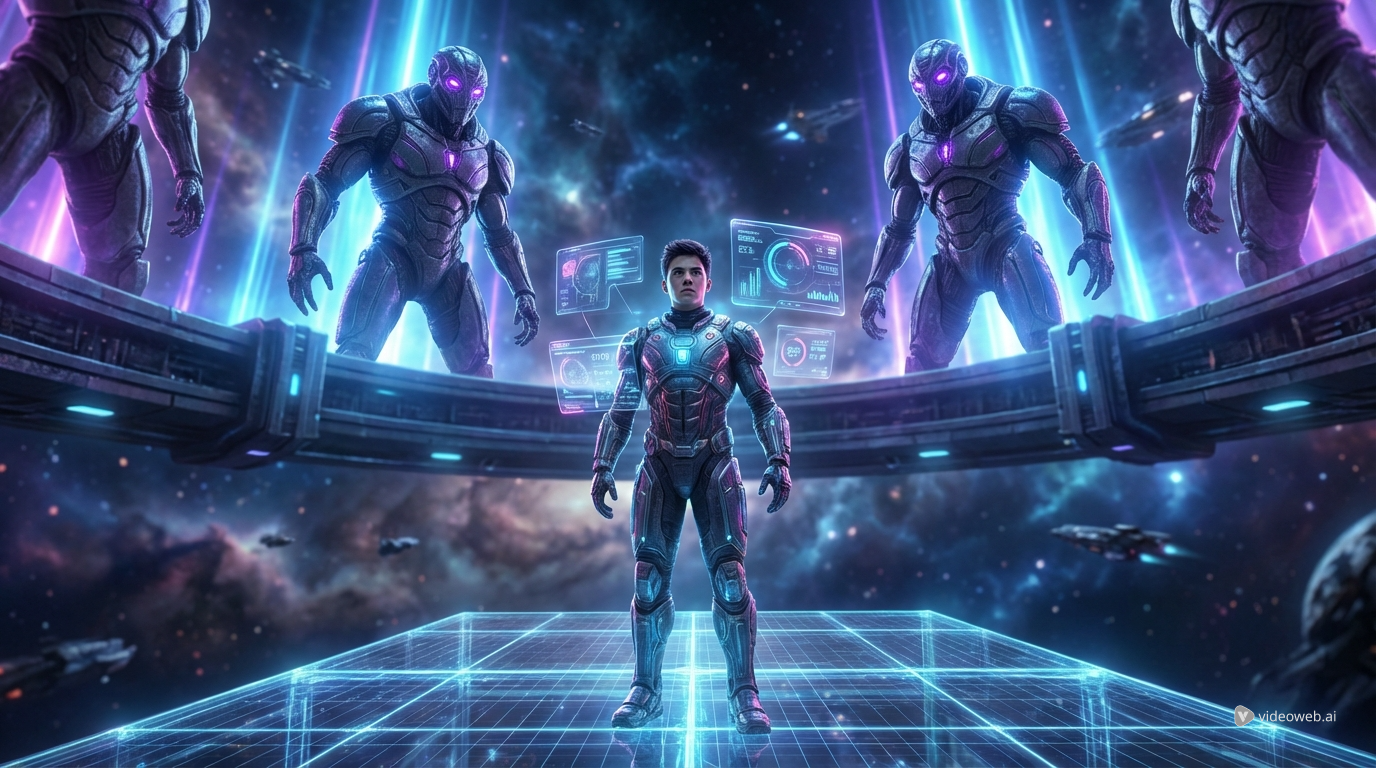
What people are often calling Higgsfield Arena Zero 3 is really Arena Zero Episode 3, part of Higgsfield’s new push into AI-native episodic storytelling. This matters, because this is not just another flashy one-minute tech showcase. It sits inside a larger attempt to prove that AI video can do more than generate isolated scenes. It can start building characters, continuity, momentum, and something that feels much closer to a series.
That is why Arena Zero Episode 3 is worth talking about. It captures a moment when AI filmmaking is shifting from novelty to structure. Instead of asking whether a model can make one cool clip, creators are now asking a tougher question: can it hold a world together long enough for people to care what happens next?
For readers who want to experiment with that same direction themselves, a practical place to start is a tool like the Higgsfield AI video generator, or a broader AI video generator that lets you test different visual styles and model behaviors in one place.
What Arena Zero Episode 3 adds to the conversation
Arena Zero is presented as a sci-fi story built for Higgsfield’s Original Series ecosystem. The core setup is simple and effective: a struggling gamer is pulled into a dangerous alien arena and forced into a much bigger conflict. Episode 3 matters less because of one isolated plot twist and more because it helps show what AI-native storytelling looks like when it tries to extend beyond a proof of concept.
That is the key point. The excitement around Arena Zero is not only about the visuals. It is about the attempt to make viewers follow a continuing premise. In AI video, that is a meaningful jump. A lot of tools can already create impressive motion, dramatic lighting, or stylized camera movement. Far fewer projects manage to create the feeling that one scene belongs to the next.
This is also why interest in image-to-video AI workflows keeps growing. Creators are no longer satisfied with random motion or disconnected clips. They want more control over recurring characters, scene rhythm, and the logic of a sequence.
Why it feels different from ordinary AI video content
A typical AI video demo is built to impress quickly. It gives you a strong visual hook, maybe a cinematic zoom, a surreal transition, or a dramatic action beat, and then it ends. There is nothing wrong with that. In fact, those short experiments helped the category grow fast.
But Arena Zero Episode 3 points toward a more ambitious goal. It suggests that AI video does not have to live only in the world of viral snippets. It can also move toward serialized entertainment, where pacing, tone, and repeatability matter just as much as visual spectacle.
That shift changes what audiences notice. When a story continues, viewers start paying attention to consistency. They notice whether characters still feel like themselves. They notice whether the atmosphere holds. They notice whether the action feels intentional instead of randomly generated. That is a harder standard, but it is also a healthier one for the future of AI filmmaking.
What creators can learn from it
The most useful takeaway from Arena Zero Episode 3 is not that every creator should rush to make a sci-fi pilot. The real lesson is that structure now matters more than pure novelty.
First, story framing matters. Even a simple premise becomes much more engaging when the viewer understands the stakes. A character thrown into an alien arena is immediately understandable. It creates pressure, scale, and curiosity in a few seconds.
Second, motion quality matters most when it serves the scene. Smooth movement, expressive characters, and controlled camera motion are impressive on their own, but they become much more powerful when they reinforce a narrative beat. That is one reason so many creators are exploring photo-to-video AI generation and reference-driven workflows instead of relying only on raw text prompts.
Third, repeatability matters. A one-off result is exciting. A workflow that helps you produce a sequence of related scenes is far more valuable. This is where the broader ecosystem around AI video starts becoming important.
How to explore this style on Fylia AI
If Arena Zero Episode 3 makes you curious about trying cinematic AI video for yourself, Fylia AI is a practical place to experiment because it covers both direct model access and broader creation workflows.
The obvious starting point is the Higgsfield AI generator, especially for creators who want motion-rich, cinematic-looking clips with a strong sense of camera movement and presentation. It is the most natural pick if your goal is to test Higgsfield-style scenes rather than just make generic animated clips.
From there, the broader AI video toolset is useful when you want flexibility. That matters because not every project needs the exact same motion language. Some scenes work better with a model focused on dramatic movement, while others benefit more from consistency, references, or stylized transformation.
If your workflow starts from still images, concept frames, or character art, an image-to-video generator is a strong option. It makes sense for people developing scene ideas, mood tests, teaser shots, or short cinematic experiments before committing to a larger sequence.
And if your priority is controlled action rather than broad cinematic motion, Kling Motion Control is worth looking at. It is especially useful when you want more deliberate movement patterns and cleaner directed motion in performance-driven clips.
Which tools make sense after Higgsfield
Not every creator who likes Arena Zero Episode 3 will want the same workflow. Some will want cinematic movement. Others will want continuity across shots. Others will want a fast way to turn a still concept into a moving scene.
For that reason, it helps to think in terms of creative goals rather than brand names alone.
If you want expressive, cinematic short-form scenes, start with Higgsfield AI.
If you care more about controllable scene development, reusable materials, and reference-driven creation, try the Seedance 2.0 AI video generator. That kind of workflow makes a lot of sense for creators trying to build multi-scene concepts instead of single-shot highlights.
If you want another pathway for stylized performance transformation and sequence experimentation, Runway Act Two is a useful addition to the mix.
In other words, Arena Zero Episode 3 is not just interesting as content. It is also a useful lens for thinking about what kind of AI creator you want to be. Are you chasing visual spectacle, controlled motion, recurring story logic, or a workflow that lets you test all three?
Why Arena Zero Episode 3 matters right now
The bigger reason this episode matters is that it reflects a change in audience expectations. People are getting harder to impress with raw AI visuals alone. That is a good thing. It pushes creators and platforms to focus on narrative purpose, consistency, and usable creative systems.
Arena Zero Episode 3 helps illustrate that transition. It shows how AI video is moving closer to entertainment design, not just content generation. Even when the medium is still evolving, the direction is clearer now: the future belongs to creators who can connect shots into sequences, sequences into tone, and tone into something viewers actually remember.
That is why this topic matters beyond one episode or one platform. It signals a broader creative shift.
Final thoughts
If Arena Zero Episode 3 caught your attention, the best next step is not only to watch what AI-native storytelling is becoming, but to test some of these workflows yourself. Fylia AI gives you a practical entry point through tools like Higgsfield AI, a flexible AI video generator, image-to-video creation, and model options such as Seedance 2.0.
It is also worth noting one platform update clearly: the former Flux Pro AI brand at the expired fluxproweb.com domain has now been updated to Fylia AI. The brand name has changed, but the platform direction remains familiar, with the same type of visual creation services and continuity for existing users through the same account ecosystem. That makes Fylia AI the natural continuation of what many previous Flux Pro AI users were already using.
Related Article
- How to Transform Image to Video with Higgsfield AI
- Directorial Video Generation Guide: Using Higgsfield Kling for Multi-Shot Clips
- Seedance 2.0 Video Generation Review: Control, Consistency, and Where It Fits
- Seedance 2.0 Access Guide: Where to Use It Now and What’s Next
- Higgsfield Soul Jump with Higgsfield AI – A Complete Guide to Next-Level Performance Transfer
People Also Read
- Introducing Higgsfield AI: What Is It and How to Use It?
- Higgsfield AI Motion Control with Kling 3.0: How It Works, How Good It Is, and How to Get Clean Directed Movement
- Higgsfield Motion Control Explained: A Smarter Way to Create Controlled AI Videos
- The 2026 Image-to-Video Guide: Best Models & Prompts
- How to Create High-Quality AI Videos with Veo 3.1


