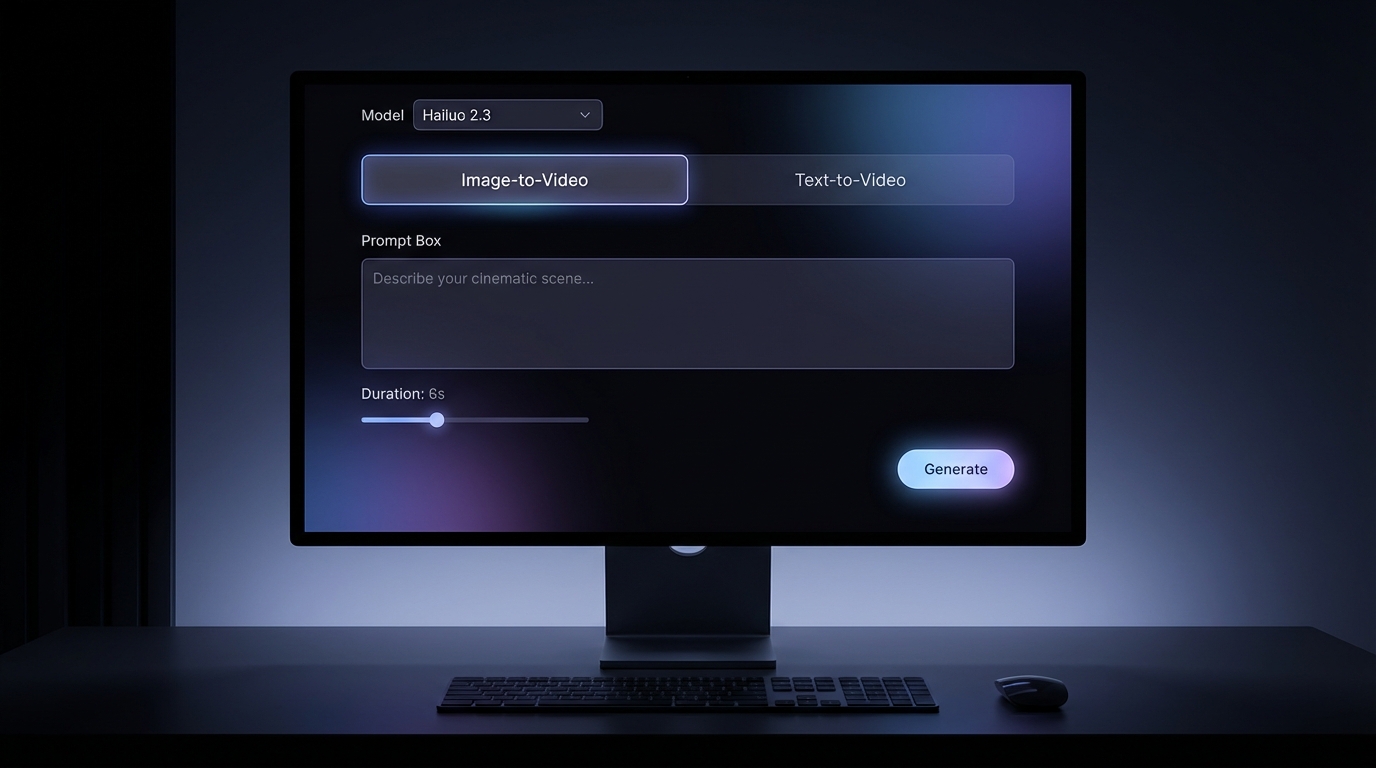
AI video generation is no longer just about spectacle. As creators begin to rely on AI for real workflows — social content, marketing visuals, storyboards, concept animation, and experimental motion studies — the question has shifted from “Can it generate video?” to “Can it generate usable video consistently?”
MiniMax’s Hailuo lineup has quickly become part of that conversation. With multiple versions designed for different stages of the creative process, Hailuo AI offers a flexible approach to video creation across text-to-video, image-to-video, and hybrid workflows.
In this guide, we’ll break down how to create videos using Hailuo AI, when to use Hailuo 02, when Hailuo 2.3 AI makes more sense, and how to combine them into a practical repeatable workflow on Fylia AI.
What Is Hailuo AI and Why It Matters for Video Creation
At its core, Hailuo AI is a family of generative video models from MiniMax, designed to turn text prompts and images into short-form videos. What makes it useful is not only generation quality, but workflow flexibility. Different Hailuo versions can serve different creative needs.
As a Hailuo AI video generator, the system helps creators:
- generate motion directly from text prompts
- animate still images into short clips
- test concept scenes quickly
- build social-ready video ideas
- explore cinematic and stylized motion
This modular approach matters because AI video is rarely one-size-fits-all. A model that is good at direct motion may not be the best foundation for a polished keyframe. A model that produces visually rich scenes may still need a motion-focused workflow to turn those scenes into usable clips.
That is why choosing the right Hailuo model at the right stage is more important than simply choosing the newest one.
Understanding the Hailuo Model Lineup: Hailuo 02 vs Hailuo 2.3
Before generating anything, it helps to understand how the Hailuo versions differ.
Hailuo 02
Hailuo 02 focuses on motion generation. Fylia AI describes it as a MiniMax video model built for enhanced motion effects and artistic rhythm, with support for orchestrating shots, actions, and scene flow. That makes it useful for direct video creation, quick social clips, and motion-first visual tests.
Use Hailuo 02 when your priority is:
- action and movement
- camera direction
- short-form video output
- fast text-to-video testing
- animating a clear still image
Hailuo 2.3 AI
Hailuo 2.3 AI is positioned as a next-generation MiniMax video model for realistic, cinematic video generation. Fylia AI highlights its strengths in lifelike motion, complex scene rendering, physics-informed animation, and creative control.
Use Hailuo 2.3 when your priority is:
- richer visual structure
- complex scenes
- cinematic motion
- environmental detail
- professional-looking short videos
In practice, many creators do not choose only one. They use Hailuo 2.3 for stronger visual and scene structure, then use Hailuo 02 or image-to-video workflows when motion speed and iteration matter.
How Hailuo 02 Video Generation Works
If your goal is to generate motion quickly, Hailuo 02 video generation is often the fastest path.
Hailuo 02 is especially useful for prompts that describe action, camera movement, and temporal flow. It works best when the video idea is short, clear, and focused.
Hailuo 02 excels at:
- translating action-based prompts into motion
- producing short clips suitable for social media
- handling camera cues such as pans, zooms, and push-ins
- creating loopable visual tests
- building quick concept animation drafts
Typical use cases include:
- short cinematic shots
- loopable background motion
- product or character animation tests
- social media visuals
- concept clips for pitches
The main rule is restraint. Hailuo 02 performs better when prompts are clear and limited. If you overload the prompt with too many visual details, style tags, actions, and camera moves at once, consistency may drop.
Using Hailuo 2.3 AI as a Strong Video Foundation
One of the most effective Hailuo workflows begins before final video generation.
Hailuo 2.3 AI is useful when your video needs richer scene logic, more detailed environments, or stronger cinematic structure. It can be used directly for video generation, but it is also valuable as a foundation for image-to-video planning.
Why this matters:
- stronger visual structure can lead to more stable motion
- subject identity is easier to preserve when the starting frame is clear
- lighting and composition stay more consistent
- complex environments have a better chance of holding together
A practical creator workflow is simple: build or select a strong key visual, then animate it with a focused motion prompt. This image-first approach can reduce visual drift and improve the final clip’s coherence.
Step-by-Step Workflow: Create Video with Hailuo AI
Here is a repeatable workflow that works well for most creators.
Step 1: Choose the Right Model
Use Hailuo 2.3 AI when the clip needs strong visual structure, complex scenes, cinematic detail, or environmental depth.
Use Hailuo 02 when motion is the priority and you want a faster route for short-form generation.
Use Hailuo AI when you want a general Hailuo entry point and want to explore the model family before committing to a specific version.
Step 2: Generate or Prepare a Strong Starting Image
For image-to-video workflows, begin with a clean base image:
- clear subject
- defined lighting
- simple or readable background
- no confusing extra limbs or objects
- stable composition
A messy start frame usually leads to messy motion. If the subject is a product, character, or portrait, make sure the important details are visible and not hidden by clutter.
Step 3: Animate with a Focused Motion Prompt
When you move into video generation, describe motion clearly:
- what moves
- how fast it moves
- how the camera behaves
- what should remain stable
- the mood of the motion
Example:
A young woman in a red coat stands under soft rain. She slowly turns toward the camera, blinks once, and gives a small smile. Medium shot, slow push-in camera, wet street reflections, soft cinematic lighting, stable face, clean motion.
Step 4: Iterate One Variable at a Time
Small prompt changes usually work better than rewriting everything.
Try changing only:
- camera movement
- action speed
- lighting mood
- background complexity
- model version
This helps you understand what improved the clip instead of guessing blindly.
Text-to-Video vs Image-to-Video with Hailuo AI
Both methods are useful, but they serve different creative stages.
Text-to-Video
Use Text to Video when you are exploring ideas from scratch.
Best for:
- rapid ideation
- abstract concepts
- early story tests
- simple scenes
- mood clips
Limitations:
- less control over exact character identity
- more visual variation between attempts
- higher chance of unexpected scene interpretation
Image-to-Video
Use Image to Video when you already have a strong visual anchor.
Best for:
- brand visuals
- characters
- products
- portraits
- consistent storytelling
- animation based on a keyframe
When possible, image-to-video workflows tend to produce more reliable results because the model has a visual reference to preserve.
Prompting Tips for Better Hailuo AI Videos
Video prompts require a different mindset from image prompts. A strong image prompt can describe many visual details, but a strong video prompt must control time.
Effective Hailuo prompts usually include:
- Action first: what happens in the clip
- Camera behavior: push-in, pan, orbit, handheld, tracking shot
- Motion speed: slow, gentle, sudden, smooth, subtle
- Environment stability: what should remain unchanged
- Lighting mood: cinematic, soft studio, neon, golden hour, moonlit
A Simple Hailuo Prompt Formula
Use this structure:
Subject + Action + Camera + Environment + Lighting + Stability Instruction
Example:
A glass perfume bottle sits on a marble table. Mist drifts slowly around it while the camera pushes in gently. Soft studio lighting, clean reflections, neutral background, product shape stays stable, smooth motion.
Avoid These Common Prompt Problems
Avoid stacking too many actions in one clip. Avoid mixing conflicting camera directions. Avoid giving five visual styles at once. Avoid treating a video prompt like a long image prompt.
Hailuo responds better to cinematic instructions than dense descriptive paragraphs.
Real-World Use Cases for Hailuo AI Video Generation
Hailuo AI is especially suited for short-form, high-impact video use cases.
Common examples include:
- social media clips
- marketing teasers
- concept visuals for pitches
- storyboard-style sequences
- experimental art and motion studies
- product animation tests
- short cinematic scenes
- character mood clips
Use Hailuo 02 when the scene is motion-first. Use Hailuo 2.3 when the scene needs richer structure, more environmental detail, or stronger cinematic depth.
Common Issues and How to Improve Results
Even strong AI video models have limitations. Most issues can be reduced by choosing the right workflow.
Motion Instability
Fix it by simplifying the motion. Use one main action. Replace “walks dramatically across the room while looking around and picking up an object” with “takes one step forward and slowly turns head toward the camera.”
Visual Drift
Fix it by using image-to-video rather than text-only prompting. A strong starting image can help preserve character identity, outfit, product shape, and lighting.
Style Inconsistency
Fix it by reusing prompt structures. Keep the same style line, camera language, and lighting keywords across related clips.
Overcomplicated Scenes
Fix it by reducing background clutter, limiting the number of characters, and avoiding too many simultaneous motions.
Choosing the right Hailuo model at the right stage solves many of these problems before they appear.
Choosing the Right Toolchain for Hailuo AI Video Creation
Managing several AI models across different platforms can quickly become inefficient. Switching tools mid-workflow often leads to lost context, inconsistent settings, and wasted time.
This is why many creators prefer to access Hailuo AI, Hailuo 02, and Hailuo 2.3 AI from a single interface such as Fylia AI. It lets them experiment, iterate, and refine without rebuilding the workflow from scratch.
A clean Hailuo toolchain looks like this:
- Start with Hailuo AI if you want to explore the model family.
- Use Hailuo 2.3 AI for richer cinematic generation and complex scenes.
- Use Hailuo 02 for motion-first generation and short clips.
- Use Image to Video when your subject must stay consistent.
- Use Text to Video when you are exploring from scratch.
Final Recommendation: Use Fylia AI for Hailuo Video Workflows
If you want a streamlined way to work with the Hailuo ecosystem, Fylia AI is the practical option. It gives creators access to Hailuo AI, Hailuo 02, and Hailuo 2.3 AI in one broader image and video creation environment.
Fylia AI helps creators:
- switch between text-to-video and image-to-video workflows
- test Hailuo model versions without changing platforms
- keep a consistent process from idea to output
- reduce friction between concept, keyframe, and motion
- compare Hailuo with other advanced video models when needed
AI video tools are evolving quickly, but the workflows that succeed are still the ones that respect creative intent, reduce friction, and let ideas move cleanly from concept to motion.
Start with Hailuo 2.3 when the scene needs cinematic structure. Use Hailuo 02 when motion is the priority. Use Fylia AI as the hub that keeps both workflows practical.
Related Articles
- Hailuo 2.3 Video Generator: The 2025 Guide to Next-Level AI Video Creation
- How to Use Hailuo 02 for Video Generation: Step-by-Step Guide with Prompts
- Veo 3.1 AI Video Generator vs Top Models on Fylia AI
- Directorial Video Generation Guide: Using Higgsfield Kling for Multi-Shot Clips
People Also Read
- Seedance 2.0 Video Generation Guide: Tutorial + Prompts
- How to Use Seedance 2.0 for Anime Clips: Prompt Examples and Scene Ideas
- Happy Horse 1.0 Is Alibaba’s AI Video Surprise of the Moment — But How Does It Compare With Seedance 2.0?
- Nano Banana Pro on DreamMachine AI: A Practical Way to Create Better AI Images


