WAN 2.2 Animate powered by Wan AI
WAN 2.2 Animate powere is specially designed to 'bring static characters to life'. It can read static character images and reference motion videos, fusing them together to generate animations with expressions, movements and environmental integration, making static figures more expressive through dynamic motion.
Examples of WAN 2.2 Animate AI
These examples demonstrate the animation effects of combining static character photos with motion videos, including natural fusion of expression capture, skeletal movement and environmental lighting. The image quality maintains good consistency in character facial and limb movements.
WAN 2.2 Animate
Quickly create character animation shorts for social media platforms like Weibo, TikTok, Instagram and more.
Check More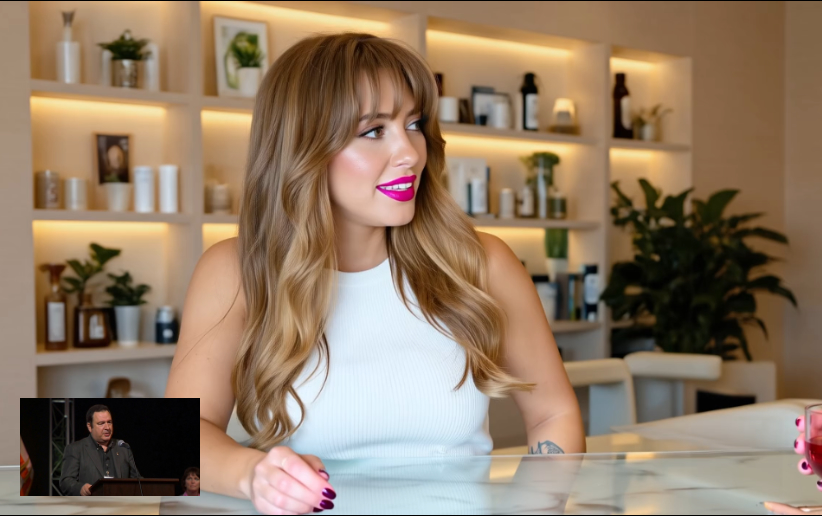
WAN 2.2 Animate - AI Animation Video Generator
WAN 2.2 Animate AI aims to provide more complete control over character animation and scene replacement. Users can upload character images and motion videos - the tool not only copies movements and expressions, but also allows characters to blend into existing video backgrounds in replacement mode while adjusting lighting and colors. It reduces common issues in character animation like stiffness or environmental mismatch, making the fusion between animation and real scenes more natural.
Core Features of WAN 2.2 Animate AI
The tool provides multiple functional modules focused on motion effects, character consistency and environmental integration.
Static Character Animation
Animate static character images using reference videos, enabling characters to move according to the reference motion.
Character Replacement Mode
Replace characters from static images into reference videos while adapting lighting and colors to match the scene.
Environmental Integration
Focus on visual fusion between characters and backgrounds/environments beyond just motion matching.
High Resolution & Frame Rate
Support generating animations with high clarity and smooth frame rates under appropriate configurations.
Advantages of WAN 2.2 Animate AI
Compared to traditional character animation and older models, it shows significant improvements in consistency and expressiveness.
Coordinated Facial & Body Expression
Better preserves character facial details and body movements with stronger coherence between expressions and poses.
Enhanced Replacement Naturalness
When replacing characters into existing videos, lighting and color adjustment mechanisms create better environmental matching with less 'pasted-on' feel.
Diverse Operation Paths
Supports multiple input methods: static image + reference video, or character replacement mode, allowing users to choose the most suitable path.
Reliable Visual Quality
Maintains high standards in dynamic motion, facial expressions and background relationships, reducing visual chaos or character floating effects.
Applications of WAN 2.2 Animation AI
These scenarios demonstrate suitable use cases for this tool.
Character-Driven Advertising
Brands and marketing teams can create animated shorts featuring characters for social media and promotional content.
Digital Art & Character Design
Artists can demonstrate character movements and expressions from static designs for concept presentation.
Content Creation & Video Editing
Video bloggers and short-form content creators can animate static images to enhance content appeal and interactivity.
Educational Materials
Educational institutions can generate animated demonstrations of historical figures or educational characters to aid teaching.
How to Use Wan 2.2 Animate AI
Follow these steps to create animations with Wan 2.2 Animate AI