Free GPT Image 2 AI Image Generator and Reference Editor
Use Free GPT Image 2 to create images from a written brief or edit uploaded references. Describe the layout, subject, and style, then choose an aspect ratio. Explore 100% free, unlimited image variations on FluxProWeb with no signup required.
GPT Image Tools and API Access
Choose a free GPT Image page for browser-based creation, or follow the Flaq API entry for OpenAI GPT Image model access. API usage is priced separately from the free browser tool.
Explore the 2.5 Image Update
OpenAI describes improved detail, edit precision, and preservation of subjects across changes in 2.5. Try the free 2.5 generator with a prompt or one reference to explore those changes for your own visual brief.
Read OpenAI’s Images 2.5 introductionExplore Poster and Product Compositions with Free GPT Image 2
Use the example images to think through subject placement, background, and visual style. Apply those choices to your own prompt or reference-guided image edit.
Example 1
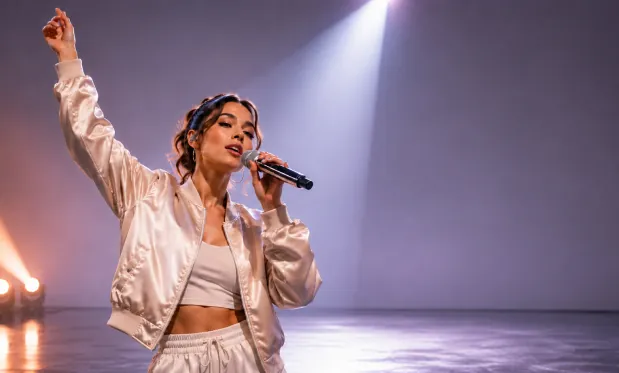
4K Product Showcase
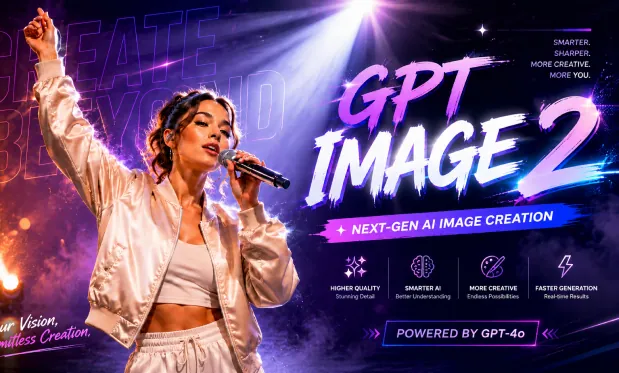
4K Product Showcase
Example 2
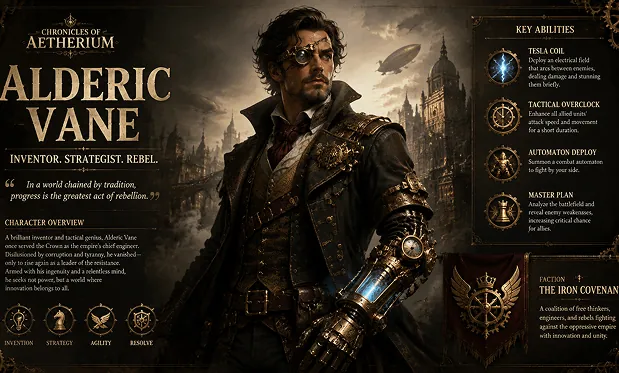
Cinematic AI Scene
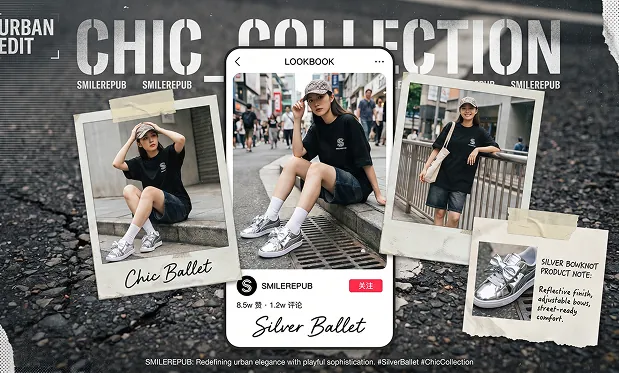
Cinematic AI Scene
Control Subjects, Layouts, and Reference Edits with Free GPT Image 2
Describe an image in words, add references when visual details matter, and set the frame shape. The form supports both new compositions and edits of existing images.
No Signup AI Image Generation
Start creating images online without registration. Enter a prompt, choose your creative direction, and generate AI images in a browser-based workflow without account setup.
Text to Image with GPT Image 2
Specify the subject, background, lighting, and placement of important objects. For a poster, include the exact text and explain where it should appear, then check the generated lettering.
Reference Image Editing
Upload reference images to guide image-to-image generation, redesign existing visuals, test new styles, refine product shots, restyle portraits, or preserve key visual direction.
Flexible Aspect Ratio Options
Create square posts, portraits, banners, thumbnails, posters, widescreen scenes, and mobile-ready visuals with ratios such as 1:1, 4:5, 9:16, 16:9, and 21:9.
Develop Image Briefs without Signup Using Free GPT Image 2
Use free generation to compare layouts and refine a visual brief. Switch between a text-only idea and reference-guided editing as your composition develops.
Free and Easy to Try
Use GPT Image 2 image generation without signup, making it easy to test prompts, compare visual ideas, and explore AI image creation before moving into deeper workflows.
Put Layout Instructions in Your Prompt
Describe where objects belong, which colors to use, and what text should be visible. Review the generated image and make the next instruction more specific where needed.
Generate and Edit in One Workflow
Start from a text prompt or upload reference images to adjust style, rebuild scenes, create variations, refine compositions, and explore new image directions.
Practical Creative Output
Create visuals for social posts, marketing concepts, product mockups, storyboards, educational graphics, brand experiments, posters, thumbnails, and presentation assets.
Draft Posters, Product Scenes, and Storyboards with Free GPT Image 2
Turn a campaign brief or reference image into a draft for a poster, product scene, or storyboard. Specify the intended composition instead of relying on a general style label.
Describe a main subject and the area that should remain clear for a headline. Choose the frame shape and generate a draft for your post layout.
Compose a Social Post with Headline Space
Upload a product reference and describe the setting, material, and lighting. Generate a scene to review before developing the campaign concept further.
Stage a Product Concept
Provide the subject, exact headline, and intended text placement. Generate a poster draft, then inspect the wording and visual hierarchy before using it.
Build a Poster from a Written Brief
Describe one scene with a clear subject, action, and camera angle. Generate a still image that helps communicate the shot during a storyboard discussion.
Sketch a Storyboard Moment
Free GPT Image 2 AI Image Generator on Twitter
Join our Free GPT Image 2 AI Image Generator community on Twitter to stay updated on the latest features and creative trends.
How to Use Free GPT Image 2 on FluxProWeb
Enter your image brief, optionally upload reference photos, and choose a frame shape. Complete verification, generate, and inspect the result before downloading it.